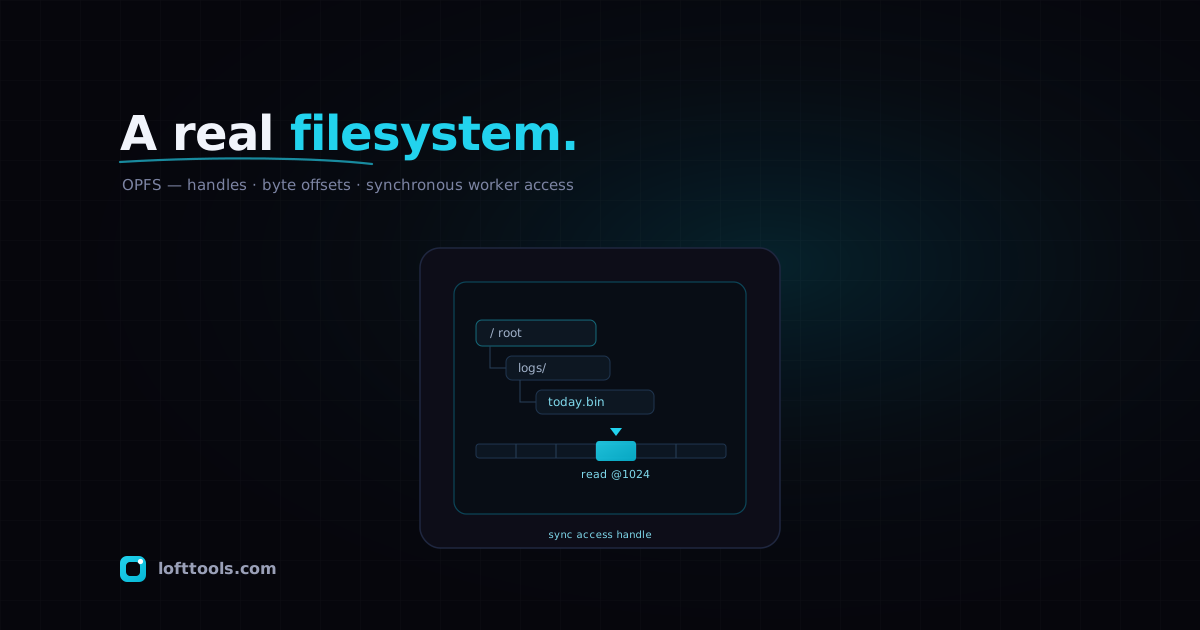
For most of the web’s history, a page could not really hold a file.
It could keep strings in localStorage, stash structured objects in
IndexedDB, or ask the user to pick something through an <input type="file"> and then keep the bytes in memory until the tab closed.
None of that is a filesystem. You could not open a handle, seek to an
offset, overwrite four bytes in the middle, and move on. The shape of
the API decided the shape of what you could build.
That has changed, fairly quietly, through the File System API and its
Origin Private File System — almost always written OPFS. It gives a
page a private, sandboxed filesystem that the browser manages on its
behalf. Inside a Web Worker, it also gives you something the platform
withheld for years: synchronous, in-place file access fast enough to
back a database engine or a virtual-memory scheme. This is an
explainer on what OPFS is, the model it exposes, why it outruns
IndexedDB for large binary data, and where its edges are.
What “origin private” actually means
Two qualifiers in the name carry most of the meaning.
Origin scopes the storage. Each web origin gets its own OPFS, walled
off from every other origin, the same boundary that governs cookies
and IndexedDB. There is no shared area and no path that reaches across
sites.
Private is the part people misread. The OPFS is not your Documents
folder, and it is not the thing the File System Access API touches
when it pops a save dialog. MDN is blunt about it: the OPFS is
“private to the origin of the page and not visible to the user.” The
browser stores the data somewhere on disk, but the layout is an
implementation detail. A user cannot browse to these files, and
neither can another application. That invisibility is the point —
because nothing outside the origin can see the contents, the browser
skips the permission prompts and safe-browsing checks that guard
user-visible files, which is part of why OPFS operations are quicker.
So OPFS is a real filesystem in the API sense — directories, files,
handles, offsets — without being a window onto the user’s actual
files. The two halves of the File System API are easy to conflate;
they solve different problems.
The model: directories, handles, writers
Everything starts from one call:
const root = await navigator.storage.getDirectory();
getDirectory(), on navigator.storage, resolves to a
FileSystemDirectoryHandle for the root of this origin’s OPFS. From
there you walk or build a tree:
const logs = await root.getDirectoryHandle('logs', { create: true });
const file = await logs.getFileHandle('today.bin', { create: true });
getDirectoryHandle() and getFileHandle() each take a name and an
options bag; { create: true } makes the entry if it is absent.
Without it, a missing entry rejects. Deletion runs through
removeEntry() on the parent directory, or remove() on a handle.
Writing on the main thread goes through a stream:
const writable = await file.createWritable();
await writable.write(someArrayBuffer);
await writable.close();
createWritable() returns a FileSystemWritableFileStream. One detail
worth holding onto: by default this writes to a temporary copy and
swaps it in at close(), so the change is not durable until the stream
closes cleanly. Reading is the mirror image — getFile() hands back a
File (a Blob), which you read as text, an ArrayBuffer, or a
stream. This asynchronous surface works on the main thread and in
workers alike, and for many uses it is all you need.
The fast path lives in a Worker
The asynchronous API is convenient but not fast in the way a database
wants. Every read and write is a Promise; thousands of small
operations drag the microtask queue behind them. OPFS answers this
with a second access mode that does not exist anywhere else on the
platform: the synchronous access handle.
// inside a dedicated Web Worker
const handle = await file.createSyncAccessHandle();

const header = new DataView(new ArrayBuffer(16));
handle.read(header, { at: 0 });           // synchronous
handle.write(payload, { at: 1024 });      // synchronous
handle.truncate(2048);
handle.flush();
handle.close();
createSyncAccessHandle() is itself asynchronous — the await is
real — but the handle it returns is wholly synchronous. Its methods are
exactly the primitives you would expect from a C FILE*: read() and
write(), each taking a buffer and an optional { at } offset;
getSize(); truncate(); flush() to force changes to disk; and
close(), which also releases the exclusive lock the handle holds on
the file. No Promises, no awaiting, just a tight loop over bytes.
There is one hard constraint, and it is deliberate. MDN states it
plainly: FileSystemSyncAccessHandle “is only accessible inside
dedicated Web Workers.” Synchronous I/O on the main thread would block
rendering and freeze the page, so the platform refuses to expose it
there. Push the work into a worker — which has no UI to freeze — and
synchronous access becomes exactly the right tool. web.dev frames the
trade the same way: workers cannot block the main thread, so the
synchronous pattern that is forbidden on the main thread is safe in a
worker. If you reach for createSyncAccessHandle on the main thread,
it simply will not be there.
Why it beats IndexedDB for big binary blobs
IndexedDB is a fine object store, and for keyed records of modest size
it remains the sensible default. It struggles specifically with large
binary data, for two structural reasons.
First, values going into IndexedDB pass through the structured clone
algorithm. That serialization is overhead you pay on the way in and
the way out, and for a multi-megabyte ArrayBuffer it is pure tax —
you are copying and encoding bytes that were already a flat buffer.
OPFS sync handles write the buffer to the file directly. There is no
clone step, because there is no object graph; it is just bytes to a
file descriptor.
Second is the Promise overhead. IndexedDB is asynchronous to its core,
and an editor or database doing many small reads and writes pays event-
loop cost on every one. The synchronous handle erases that: a read is a
function call that returns when the bytes are in your buffer. Across a
hot loop the difference compounds. Published measurements put a
hundred-megabyte write through a sync handle at roughly an order of
magnitude faster than the IndexedDB equivalent; treat the exact figure
as workload-dependent, but the direction is not in doubt and follows
directly from removing serialization and Promise churn.
The catch is that OPFS hands you bytes, not records. There is no index,
no query, no transaction across keys. You get a filesystem; structure
is your problem. Which is precisely why the most interesting adopters
are not using OPFS as a store at all, but as the disk underneath a
storage engine they already have.
Who actually uses this
The flagship case is SQLite. The official SQLite-Wasm build ships a VFS
— a virtual filesystem backend — that maps the database file onto OPFS,
giving an in-browser SQLite genuine persistent storage with the sync
handles as the I/O layer. The SQLite project documents the OPFS VFS
directly, including its reliance on SharedArrayBuffer (and therefore
on cross-origin isolation headers) for its concurrency support. A real
SQL database, persisting to a real file, entirely inside the tab.
The other case is Photoshop on the web. The Chrome team’s writeup, by
Nabeel Al-Shamma and Thomas Steiner, describes how Photoshop edits
documents larger than available RAM by spilling tiles to scratch files
— and names OPFS as the backing: “the origin private file system with
its highly performant read and write access to files is a key
component of the solution.” Photoshop’s virtual-memory manager pages
data in and out of OPFS scratch files, which is the desktop scratch-
disk idea rebuilt on a browser primitive. C-style code compiled to
WebAssembly expects synchronous file calls; the sync handle is what
lets that expectation hold.
The pattern across both is the same. OPFS is not the application’s data
model. It is the byte layer a heavier system sits on.
The edges
Three limits are worth stating before you commit.
It is origin-private and not user-visible, which cuts both ways. Nobody
can snoop the bytes, but you also cannot point a user at a file in
their Downloads folder. If the user needs to keep the output, you read
it back and hand it over through the File System Access API or a plain
download. OPFS is working storage, not delivery.
It is subject to quota and to eviction. OPFS lives in the same
best-effort storage bucket as IndexedDB and the Cache API.
navigator.storage.estimate() reports roughly how much you are using,
and under storage pressure the browser may evict the whole bucket.
Calling navigator.storage.persist() requests durable storage that
will not be cleared without the user’s say-so, but it is a request, not
a guarantee. Anything in OPFS can vanish; design for re-fetch or
re-derive, not permanence.
And the fast path is worker-only, by design rather than oversight. The
synchronous handles that make OPFS worth the trouble for heavy
workloads do not exist on the main thread. Plan for a worker from the
start — retrofitting one around code that assumed main-thread access is
the kind of rework you would rather skip.
None of this makes OPFS niche. It makes it specific. The browser grew a
filesystem with the contours of a real one — handles, offsets, in-place
writes, a flush you can trust — and put the sharp part behind a worker
where it cannot hurt anyone. For text and small records, IndexedDB is
still the comfortable choice. For large binary data, or for a real
storage engine that wants a file to call its own, OPFS is the layer the
platform was missing.