ReferenceMay 10, 2026 · 4 min read
What happens if I close the tab mid-edit?
When you close a Loft Tools tab in the middle of editing a PDF, where does the work go? Three answers depending on what you were doing, and the rule for getting your work out before you walk away.
By Khine788 wordsExtractable lead
Reference page for Loft data lifetime. Updated when behaviour
changes. Last reviewed 2026-05-27.
Definition
The lifetime of any data inside a Loft tool is determined by which
of three storage layers it lives in:
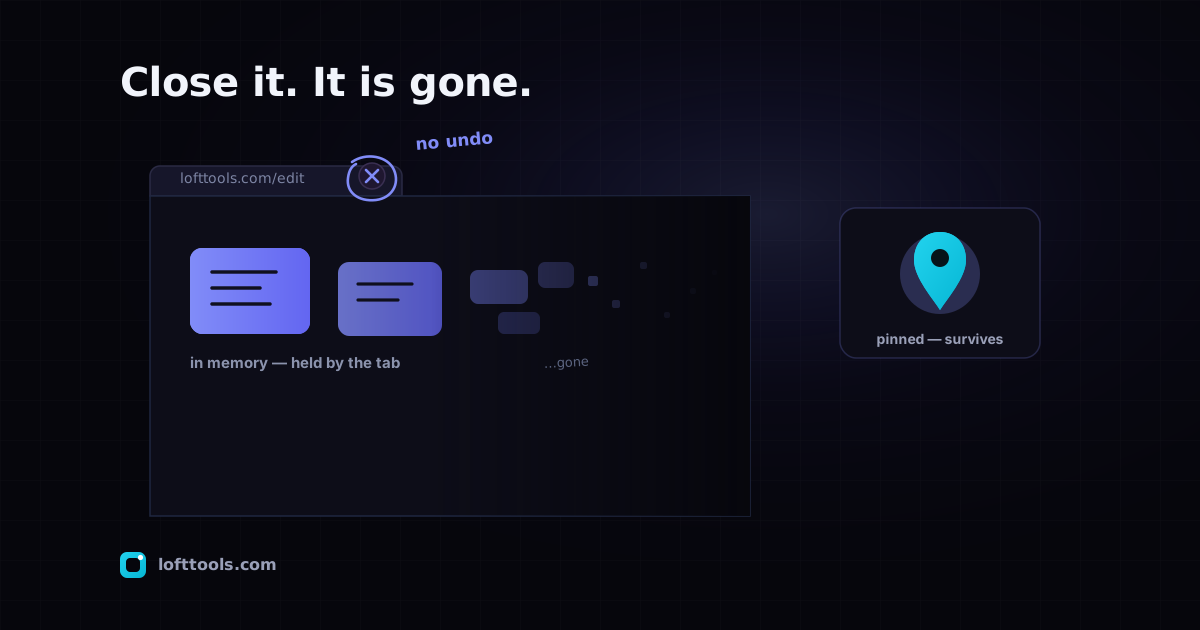
- Tab heap — the browser’s working memory for the open tab.
Volatile; cleared on tab close.
- Persistent browser storage — IndexedDB, localStorage, service
worker cache. Survives tab close; persists until cleared or
evicted.
- Server-side state — non-existent for Loft tools. There is no
upload destination.
Lifetime by category
| Data |
Lives in |
Survives tab close |
Survives browser restart |
Survives “clear site data” |
| File you dropped in |
tab heap |
no |
no |
no |
| Intermediate processing buffers |
tab heap |
no |
no |
no |
| Rendered preview canvases |
tab heap |
no |
no |
no |
| Result Blob (before download triggers) |
tab heap |
no |
no |
no |
| Pinned tools list |
IndexedDB (loft-pins) |
yes |
yes |
no |
| Theme preference |
localStorage |
yes |
yes |
no |
| Compare PDF parsed cache |
IndexedDB (loft-compare-pdf-cache) |
yes |
yes |
no |
| OCR / ML model weights |
service-worker cache (loft-ocr) |
yes |
yes |
no |
| Per-tool small preferences |
IndexedDB / localStorage |
yes |
yes |
no |
| Astro asset chunks |
service-worker cache |
yes |
yes |
no |
| User file content (any) |
n/a — never persisted |
n/a |
n/a |
n/a |
State transitions
| Event |
Tab heap |
Persistent storage |
Server-side |
| Close tab |
cleared |
preserved |
(none) |
| Refresh tab |
cleared |
preserved |
(none) |
| Lose power mid-edit |
cleared |
preserved |
(none) |
| Switch browsers |
cleared (different tab) |
new browser starts blank |
(none) |
| Clear site data |
cleared |
wiped |
(none) |
| Browser quota eviction |
cleared (eventually) |
non-pinned caches first |
(none) |
The one operational rule
Download the result before you leave the tab. Every Loft tool that
produces an output triggers a download or exposes a download
button at completion. If the file is in your downloads folder, it
exists outside the tab. If it isn’t, it doesn’t.
There is no recovery path for an in-progress edit that wasn’t
downloaded. We cannot help because we have nothing to help with.
The only copy was the one in the tab; the tab closed; the heap
freed.
What lives in loft-pins
The IndexedDB store for pinned tools. Each record is one pinned
tool. The key field is toolId; other fields include toolPath,
pinnedAt, and optional version-tracking fields (version,
buildSha, refreshedAt). No file content is stored here.
What lives in loft-compare-pdf-cache
The IndexedDB store used by the Compare PDF tool. Holds parsed
metadata for recently-opened comparisons keyed by file fingerprint.
Used so a second compare of the same file is fast. The original
PDFs are not stored — only parsed metadata.
What lives in loft-ocr
The service-worker cache for OCR model weights. Empty until the
first time you use an OCR tool. After first use, holds the
PaddleOCR model files (~10–15 MB per language) and/or Tesseract
language data, cached so future OCR runs are offline-capable.
What does NOT live anywhere persistent
- The file you ran a tool on.
- The text OCR extracted from your file.
- The result Blob unless you explicitly clicked download (and
that goes to your OS downloads folder, not back into Loft).
- Any identifier we have for “you” — we have no accounts.
The tab heap forgets everything it held the moment you leave; the
persistent stores were never given the file in the first place.
A cloud-side PDF tool typically holds your file on its server for
a retention window (one hour to 24 hours, depending on operator).
“Close the tab mid-edit” on that kind of tool may leave a copy
behind that survives in their database until their delete cron
runs.
For Loft, the equivalent question doesn’t apply. There is no
server-side state to leave behind because there is no server-side
state at all.
Update policy
This page is updated when Loft’s data behaviour changes. If we
ever add a new IndexedDB store, change a retention rule, or alter
the no-persistence-of-user-files rule, the change lands here
first. Last updated 2026-05-27.
If you spot behaviour on the live site that doesn’t match this
page, send us a note. We’d rather fix the
documentation than leave the gap.